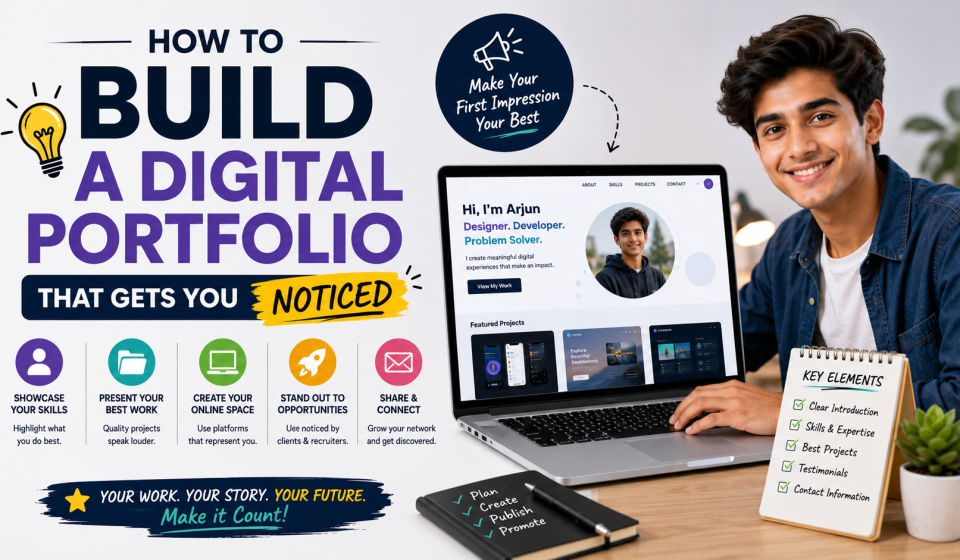

Learn how to build a digital portfolio that gets you noticed. Discover what to include, how to showcase your skills, and tips to impress employers, clients, and recruiters.
A digital portfolio is one of the most effective ways to showcase your skills, achievements, and professional experience. Whether you are a student, recent graduate, freelancer, or job seeker, a well-organised portfolio allows employers and clients to see examples of your work rather than simply reading about your qualifications on a CV.
Understanding how to build a digital portfolio that gets you noticed can help you stand out in today’s competitive job market. A professional portfolio demonstrates your abilities, highlights your accomplishments, and creates a strong first impression for recruiters, hiring managers, and potential clients.
This guide explains how to create an effective digital portfolio, what to include, and practical tips to make it more appealing and professional.
What Is a Digital Portfolio?
A digital portfolio is an online collection of your work, achievements, skills, and professional experiences. It provides evidence of your abilities through real projects, presentations, writing samples, designs, certificates, or other examples.
A digital portfolio can be useful for:
- Students
- Graduates
- Freelancers
- Designers
- Developers
- Writers
- Marketers
- Creative professionals
Many employers appreciate seeing practical examples of a candidate’s work during the recruitment process.
Why a Digital Portfolio Is Important
A portfolio allows you to demonstrate your skills beyond what a CV or job application can provide.
Benefits include:
- Showcasing practical abilities
- Creating a professional online presence
- Building credibility
- Supporting job applications
- Attracting freelance clients
- Highlighting achievements
- Demonstrating continuous learning
A strong portfolio can help employers better understand your experience and potential.
Define the Purpose of Your Portfolio
Before creating your portfolio, decide what you want it to achieve.
Consider questions such as:
- Am I applying for jobs?
- Do I want freelance clients?
- Am I seeking internships?
- Am I applying for university programmes?
- Do I want to showcase creative work?
Having a clear purpose helps you choose the most relevant content.
Choose the Right Platform
Select a platform that suits your profession and makes your work easy to access.
Popular options include:
- Personal websites
- Portfolio-building platforms
- Professional networking profiles
- Online design portfolios
- Code repositories for developers
Choose a platform that is easy to update and works well on both desktop and mobile devices.
Create a Professional Introduction
Begin your portfolio with a short introduction about yourself.
Include:
- Your name
- Professional title or area of interest
- Brief career summary
- Key skills
- Career goals
Keep your introduction concise, informative, and professional.
Showcase Your Best Work
Quality is more important than quantity.
Include your strongest examples such as:
- Academic projects
- Professional work
- Freelance projects
- Research papers
- Graphic designs
- Websites
- Marketing campaigns
- Writing samples
Only include work that accurately reflects your current abilities.
Describe Each Project
Provide context for every project you include.
Explain:
- The project objective
- Your role
- Skills used
- Challenges you solved
- Results or outcomes where appropriate
Clear project descriptions help visitors understand your contributions.
Highlight Your Skills
Create a section that outlines your technical and professional skills.
Examples include:
- Communication
- Leadership
- Problem-solving
- Graphic design
- Programming
- Digital marketing
- Project management
- Data analysis
Keep your skills relevant to the career you are pursuing.
Include Certifications and Achievements
Professional certifications demonstrate your commitment to continuous learning.
You may include:
- Online course certificates
- Professional certifications
- Academic awards
- Competition achievements
- Scholarships
- Volunteer recognition
Only list achievements that add value to your portfolio.
Add Your Education and Experience
Provide a summary of your educational background and relevant experience.
Include:
- Degree or qualification
- Educational institution
- Graduation year
- Internships
- Volunteer experience
- Part-time employment
- Professional projects
Focus on experiences that support your career goals.
Include Testimonials if Available
Positive feedback from lecturers, supervisors, clients, or employers can strengthen your portfolio.
Testimonials should be:
- Genuine
- Relevant
- Professional
- Concise
Only include testimonials if you have permission to share them.
Keep the Design Clean and Simple
A professional design improves readability and user experience.
Aim for:
- Easy navigation
- Clear headings
- Consistent formatting
- High-quality images
- Readable fonts
- Balanced spacing
Avoid unnecessary visual clutter that distracts from your work.
Optimise for Mobile Devices
Many recruiters review portfolios using mobile phones or tablets.
Check that your portfolio:
- Loads quickly
- Displays correctly on smaller screens
- Has readable text
- Uses working links
- Offers simple navigation
A mobile-friendly portfolio creates a better user experience.
Update Your Portfolio Regularly
Your portfolio should grow as your experience increases.
Regularly update it by adding:
- New projects
- Recent certifications
- Professional achievements
- Updated skills
- Additional work experience
Keeping your portfolio current reflects ongoing professional development.
Common Mistakes to Avoid
Avoid these common portfolio mistakes:
- Including too many projects
- Using outdated work
- Poor spelling and grammar
- Broken links
- Low-quality images
- Complicated navigation
- Missing contact information
Review your portfolio regularly to maintain a professional appearance.
Tips to Make Your Portfolio Stand Out
Simple improvements can make your portfolio more impressive.
Helpful tips include:
- Focus on quality over quantity.
- Customise your portfolio for your career goals.
- Use clear project descriptions.
- Demonstrate measurable achievements where possible.
- Keep your content organised.
- Proofread every section carefully.
- Update your portfolio regularly.
- Make it easy for employers to contact you.
Consistency and attention to detail create a stronger impression.
Sources
- https://www.linkedin.com
- https://www.indeed.com/career-advice
- https://www.coursera.org
- https://www.adobe.com
- https://careercenter.umich.edu
Conclusion
A digital portfolio is a powerful tool for showcasing your skills, achievements, and professional potential. By carefully selecting your best work, providing clear project descriptions, maintaining a clean design, and updating your portfolio regularly, you can create a professional online presence that attracts employers, recruiters, and clients.
Whether you are a student preparing for your first job or an experienced professional seeking new opportunities, investing time in building a high-quality digital portfolio can significantly strengthen your career prospects. A well-presented portfolio demonstrates your abilities with real evidence and helps you stand out in an increasingly competitive job market.
Frequently Asked Questions (FAQs)
1. What is a digital portfolio?
A digital portfolio is an online collection of your work, projects, skills, achievements, and professional experiences that showcases your abilities to employers, recruiters, clients, or educational institutions.
2. Who should create a digital portfolio?
Digital portfolios are useful for students, graduates, freelancers, designers, developers, writers, marketers, photographers, and professionals who want to demonstrate their skills and experience.
3. What should I include in my portfolio?
Include a professional introduction, your best projects, skills, education, work experience, certifications, achievements, testimonials if available, and accurate contact information.
4. How many projects should I include?
It is generally better to include a smaller number of high-quality projects than many average ones. Select work that best represents your current skills and career goals.
5. How often should I update my digital portfolio?
Update your portfolio whenever you complete significant projects, earn new certifications, gain additional experience, or develop new skills to keep your content current.
6. Do I need a personal website for my portfolio?
Not necessarily. While a personal website offers greater flexibility, you can also use portfolio platforms or professional networking websites, depending on your career field and objectives.
7. Can a digital portfolio help me get a job?
A well-prepared digital portfolio can strengthen job applications by providing employers with practical examples of your work, making it easier for them to evaluate your skills and experience.
8. What is the biggest mistake when creating a digital portfolio?
One of the most common mistakes is including outdated or low-quality work. A portfolio should focus on your strongest and most relevant projects while remaining organised, easy to navigate, and regularly updated.